Your account is ready. Now get the app.
ApptiveTeams puts your company's forms, news and contacts on your phone. Sign in to the app with the account you just created.
Free for iOS and Android.
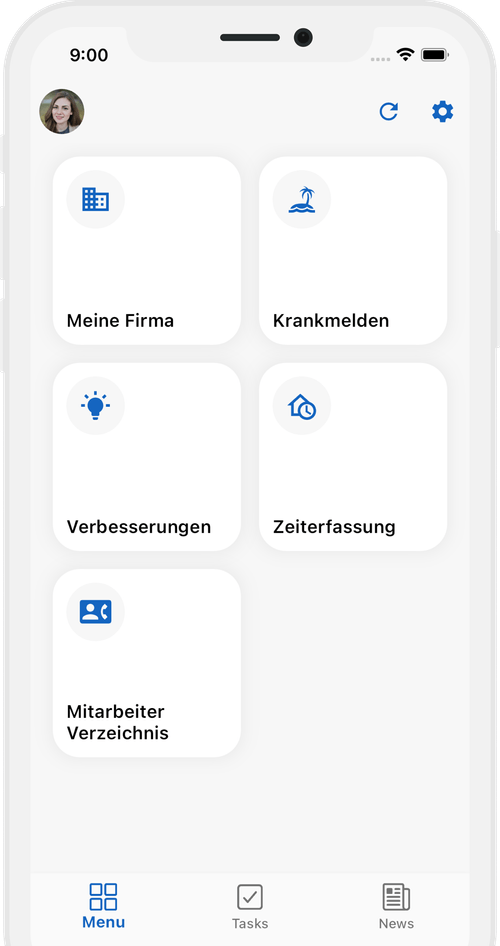
Into the app in four steps
- 01
Get the app
ApptiveTeams is free on the App Store and Google Play. Search for “ApptiveTeams” or use the buttons on this page.
- 02
Sign in
Use the email address and password you just registered with at ApptiveGrid. Sign-in opens briefly in your browser and returns you to the app.
- 03
Pick your team
The app lists the teams your company has invited you to. If there is only one, it opens on its own.
- 04
Allow notifications
That way you hear right away when a request is approved or something new is waiting for you – without having to check the app.
Reading this on a computer?
The app is for smartphones only. Scan the code with your phone's camera – it opens this page at apptivegrid.de/en/get-apptiveteams, where you tap your store. Or search the store for “ApptiveTeams”. Your account works on any device.

What to expect
Your company decides what you see – exactly what is meant for your role, nothing else.
Forms & requests
Leave, expenses, reports – fill in, submit, follow the status.
News
What is happening in the company, in one place instead of five chat groups.
Links & documents
The pages and files you actually need day to day.
Contacts
Who is responsible for what – with contact details right in the app.
If something is not working
I cannot see a team.
Then your company has not invited you to its Team Space yet. Ask the person who set up your access. Once the invitation is accepted, the team appears in the app.
Sign-in fails.
Check that you are using the same email address you registered with. Reset a forgotten password via “Forgot password” in the sign-in window.
Content is missing or out of date.
Tap the refresh icon in the top right. The app reloads its layout and content from your Team Space.
Your first point of contact is the person at your company who invited you. For technical questions about the app, reach us at kontakt@apptivegrid.de.
Get ApptiveTeams now
Free on the App Store and Google Play. Sign in with your ApptiveGrid account.
Setting up ApptiveTeams for your company? Product page · Documentation